

Custom domains
Every app gets its own address on GetFlowing. Add your own domain, set the DNS records GetFlowing shows you, and HTTPS is set up for you.
Every app gets its own generated address as soon as it is deployed. You can also put it on a domain of your own, such as app.yourcompany.com, on every paid plan. GetFlowing sets up HTTPS for it.
Your app's own address
The generated address is shown on the app's Overview, and in the app's Settings, under Domains, in Generated URLs. It stays the same from one deploy to the next.
Add a domain
Add the domain
Open the app, then Settings, then Domains. Choose Add domain, enter the domain, such as app.yourcompany.com, and choose Add domain again.
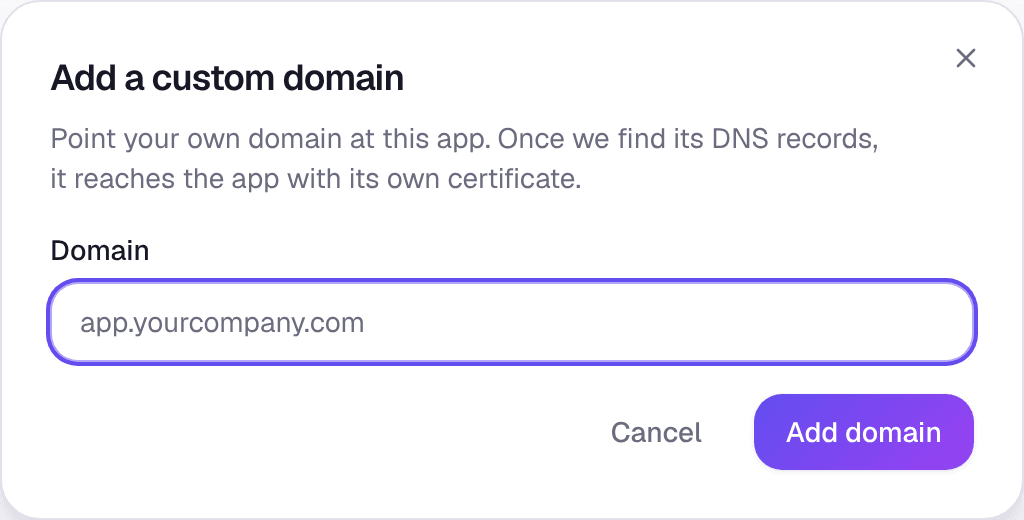 Adding a custom domain
Create the DNS records
GetFlowing shows the DNS records to create, each with a copy button. Add them where your domain's DNS is managed.
Verify
Choose Verify. GetFlowing also checks by itself: every 10 minutes on the first day, then every hour for a week, then once a day.
Owners, admins and members can add or remove a domain. Viewers can only look.
The DNS records
| Record | Name | Value | What it does |
|---|---|---|---|
| TXT | _platform-verify. followed by your domain | The value the dashboard shows | Proves the domain is yours |
| CNAME | Your domain | The target the dashboard shows | Sends the domain's visitors to your app |
The CNAME's target appears once the app has been deployed. If your DNS is with Cloudflare, the dashboard can add the records for you.
The root of your domain
Many DNS providers cannot point the root of a domain, such as yourcompany.com, with a CNAME. Use a subdomain such as www.yourcompany.com for the app, and forward the root to it at your DNS provider. If the dashboard shows an A record for the root of your domain, add that instead.
Statuses
| Status | What it means |
|---|---|
| Waiting for DNS | GetFlowing has not found the records yet. DNS changes can take a while to reach everyone. |
| Verified, not live | The domain is yours, but it does not reach your app yet. |
| Connected | The domain is yours and set up. The line under it says whether it reaches your app yet and whether HTTPS is ready. |
HTTPS is set up for you, usually within a few minutes of the domain pointing at your app.
If a domain stays at Verified, not live and the dashboard says GetFlowing cannot connect custom domains yet, connecting custom domains is not available for your app yet. You do not need to do anything.
Limits
- An app can have up to 4 custom domains.
- A workspace can have up to 20.
- A custom domain needs a plan that is paid for. A free app gets one once it is kept live.
Remove a domain
Choose the bin icon next to the domain, then Remove domain. The domain stops reaching your app. Remove its TXT record and its CNAME at your DNS provider too.
Variables and secrets
Set the environment variables and secrets your app reads on GetFlowing, choose which are secret, and keep secrets out of your code and repository.
Databases
Add a managed PostgreSQL database to an app on GetFlowing, connect to it from your code, back it up, and what happens to it when the app is deleted.