

Deploys and releases
How an app is deployed and released on GetFlowing, what a deploy checks before it takes traffic, and trying changes on a second app from the same repository.
A deploy builds your app from its code and puts the new version live. GetFlowing builds the container, checks that it starts and answers its health check, and only then moves traffic to it. The new version takes over with no downtime: the version that was running keeps serving until the new one passes its health check, and keeps running if the new one never does.
Deploy and release
At the top of an app's page is Deploy, with Open app once the app answers. On plans with the agent, Release is there too until the app is released.
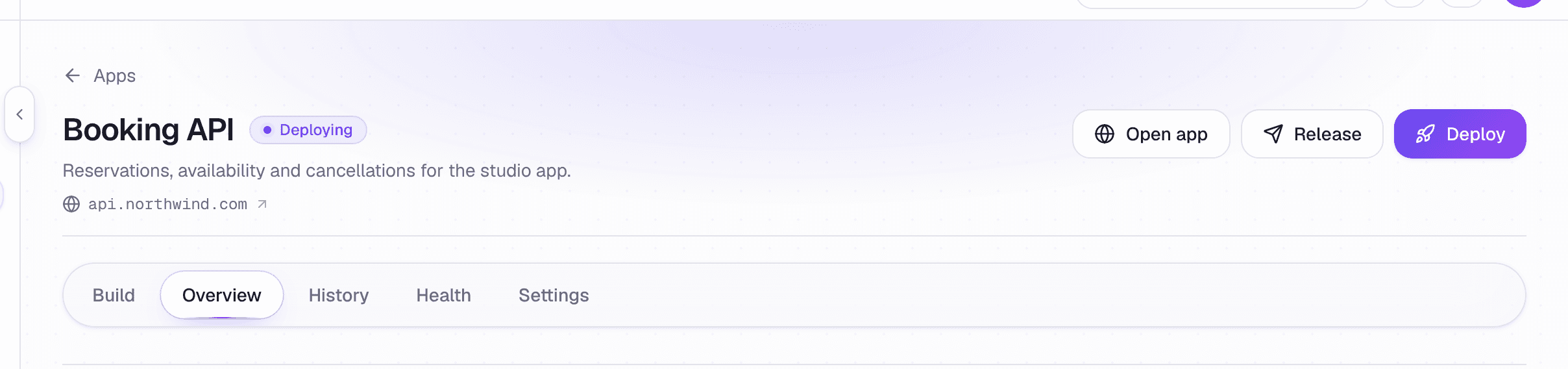 Open app, Release and Deploy, above the app's tabs
- Deploy builds the latest code on the app's branch and puts it live.
- Release marks the app as ready for its customers. Before an app is released, its deploys go out at once, so you can try it freely. Once it is released, every deploy after that reaches customers, and your workspace can ask a person to approve each one first. See Approvals.
On plans with GetFlowing's agent, an app is released when you press Release. The release is a deploy to the app's customers, so where your workspace asks before each deploy of a released app, the release waits for a person to approve it too. Plans with the agent ask by default. On the Deploy plan there is no separate release: every deploy is a release, the first one included.
How far a deploy got
The app's History tab lists each deploy under Releases, with how far it got: built, started, checked and live. A deploy that failed is marked where it stopped, and the app's Overview tab says why.
An app's status is one of Live, Building, Deploying, Needs approval, Failed or Paused.
One environment per app
Every app has one environment, on every plan. The app deploys from one branch: the repository's default branch, unless you choose another in the app's Settings, under General, in Deploys from.
To try changes before they reach your customers, add a second app from the same repository that deploys from another branch. In the app's Settings, under General, use Add an app from this repository. The new app has its own address and its own empty database. You can copy its variables across; secrets are listed for you to set, not copied. A second app counts towards your plan's managed apps.
Limits
Each plan includes a number of deployments and build minutes a month. Only deploys that go live count. See Plans, credits and limits.
Related
- Deploy on push: deploy when you push to GitHub.
- What every app needs: the port, the health check and the start time a deploy is held to.
- Troubleshooting: what a failed deploy's message means.
The dashboard
A tour of the GetFlowing dashboard: Home, Apps, the Inbox, Usage and billing, Help and Settings, an app's five tabs, and the shortcuts that move between them.
Deploy on push
Deploy an app every time you push to its branch on GitHub, and how merges from the agent's chat deploy on plans with the agent.