

Managed PostgreSQL databases
Add a managed PostgreSQL database to an app on GetFlowing, connect to it from your code, back it up, and what happens to it when the app is deleted.
GetFlowing can give each app a managed PostgreSQL database. It creates it, connects your app to it, and backs it up. You can also use a database of your own.
Add a managed database
When your code shows signs of needing a PostgreSQL database, such as SQL migrations, Prisma, Drizzle or a database variable in .env.example, a deploy gives the app a managed PostgreSQL database by itself.
To add one yourself, open the app's Settings, under Database, and choose Use a managed database. The app gets its database from its next deploy. On a plan with the agent, you can also ask for one in the app's chat. If the app had a managed database before, it comes back with the data it had then; otherwise it starts empty.
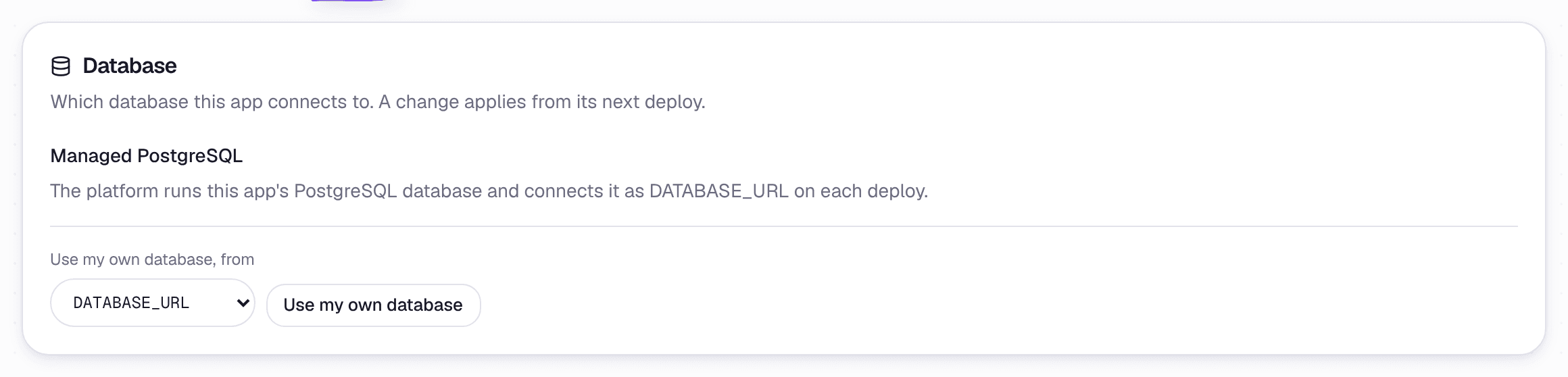 The app's Settings, under Database
Each app gets a database of its own, with a login of its own.
Connect to it from your app
GetFlowing gives your app the database's connection string as a secret, in DATABASE_URL, or in the variable your code names for it (in Prisma's env("..."), for example). The connection uses TLS.
// Node, with the pg package
import pg from 'pg';
const pool = new pg.Pool({ connectionString: process.env.DATABASE_URL, max: 3 });
Keep your connection pool small. Each app has a limited number of connections, shared by every copy of it that is running, including the new one during a deploy.
Your app runs its own migrations, for example as part of its start command. GetFlowing does not run them for you. On a plan with the agent, a change the agent makes to your migration files waits for your approval, unless the app's Code action approvals is set to Approve everything.
Use your own database
To use a PostgreSQL, MySQL or MongoDB database you already have, add its connection string as a secret in the app's Settings, under Variables, with a name such as DATABASE_URL, POSTGRES_URL or MONGODB_URI. GetFlowing then creates no database for the app. If the app already has a managed database, also choose Use my own database under Database.
Your database must listen on its usual port: 5432 or 6543 for PostgreSQL, 3306 for MySQL, or 27017 for MongoDB. Your app has no fixed IP address, so the database must accept connections from any address. Allow that only over TLS, with a strong, unique password and a database user that has only the rights your app needs. For Supabase, use its connection pooler.
Backups
Managed databases are backed up every day, and can be restored to a point in time. Backups are kept for up to 14 days. To have a database restored, an owner or admin asks on the Help page, choosing Restore my data. See Get help. Data written after the restore point is kept apart for 7 days, so you can ask for it back.
Looking at your data
A managed database has no public address, so you cannot connect to it from your own machine. On plans with the agent, the app's Build tab has a read-only Data view, where you can browse tables, run one read-only SELECT at a time, and export a table as CSV. See Data.
When you delete an app
When you delete an app, its managed database is not dropped straight away. It is locked and held for 30 days, then deleted with everything in it.
If you deleted an app by mistake, an owner or admin can ask on the Help page within those 30 days. See Get help. GetFlowing can move the held database into another app in the same workspace. That app's own data is set aside for 7 days, so the move can be undone, then deleted.