

Deploy on push
Deploy an app every time you push to its branch on GitHub, and how merges from the agent's chat deploy on plans with the agent.
With Deploy on push on, a push to the branch an app deploys from deploys that version. If the app is released and your workspace asks before each deploy, the deploy waits for approval.
Where it is
It is in Settings, under Workspace, on the Deploys tab (called Agent and deploys on plans with the agent), under Deployment preferences. It applies to every app in the workspace.
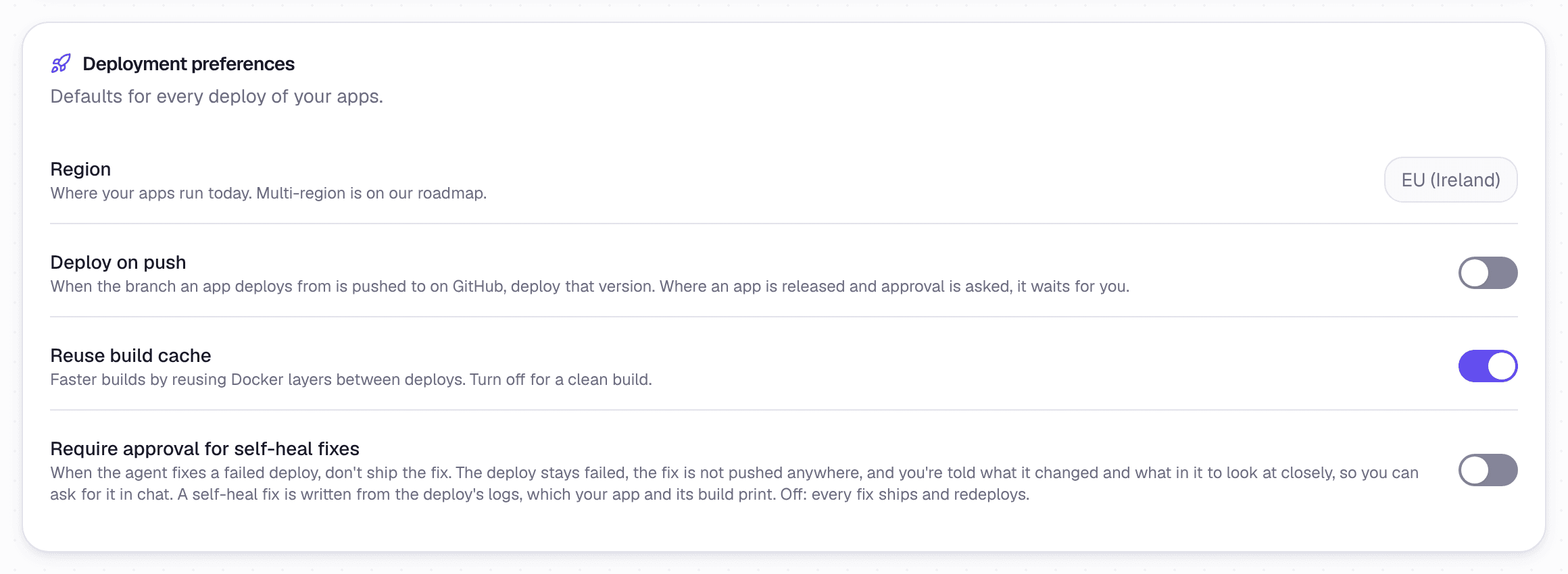 Deploy on push, the build cache and self-heal fixes
- On the Deploy plan it is on by default, as your assistant pushes each new version.
- On plans with the agent it is off by default, because every merge from the app's chat already deploys. Switch it on if you also push changes yourself.
- When it is off, a push does nothing until you press Deploy.
- Only the newest push deploys. An older push still waiting is cancelled.
Merges from the chat
On plans with the agent, merging a change from the app's chat deploys it. See The AI engineering team.
Build cache
Under Deployment preferences, Reuse build cache reuses the layers of earlier builds, so a build after a small change is faster. It is on by default. Turn it off for a clean build.
The same card shows the Region your apps run in. It cannot be changed yet.