

Quickstart
Create your GetFlowing workspace and get your first app live, from a description, from GitHub or from your AI assistant.
GetFlowing plans, writes, deploys and monitors your apps. You can have it build an app from a description, bring in an app you already have on GitHub, or deploy an app your own AI assistant built. Whichever way an app comes in, GetFlowing builds it, deploys it, watches it and keeps it running.
Create your workspace
GetFlowing is in private beta. Request early access and we will be in touch.
To create your workspace, give your name, your work email and a password of at least 15 characters, then open the link we email you to confirm the address. After that, sign in with your email and password, or with Google or GitHub where the sign-in page offers them. Add a passkey or two-factor authentication to keep your account safe. See Your account.
When you create a workspace, GetFlowing asks what you would like to do: deploy an app you already have, or have GetFlowing build one.
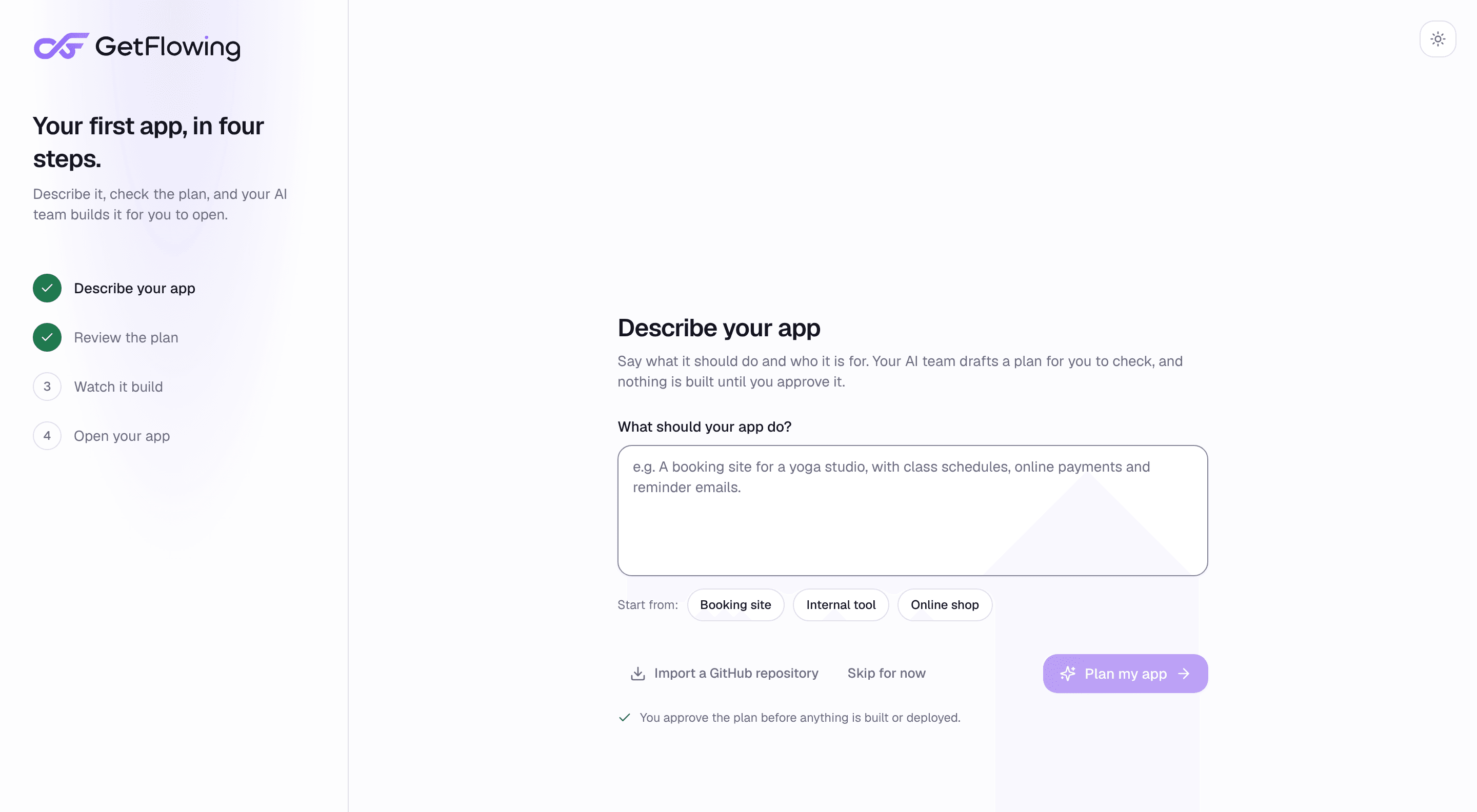 Your first app, in four steps
Choose a plan
Every plan deploys and runs your apps. The plans with GetFlowing's AI engineering team also plan, write and change your code. On the Deploy plan, your first app can run free for 3 days before you pay. See Choose a plan.
Get your first app live
There are three ways in. See Your first app, three ways for the steps.
- Describe it. On a plan with the agent, say what to build, and GetFlowing's AI engineering team plans it, writes it and deploys it.
- Import it from GitHub. On every plan, choose a repository, set its variables and press Deploy.
- Deploy it from your AI assistant. Connect Claude, Claude Code, ChatGPT, Cursor or Codex, and ask it to deploy your app.
Next steps
- Deploys and releases: how a deploy goes live, and how to roll one back.
- Custom domains: put your app on your own domain.
- Find your way around the dashboard.
- Logs and monitoring and incidents: see how your app is doing.
- Troubleshooting: what to do when a deploy fails.
Overview
How to get an app live on GetFlowing and keep it running, whether GetFlowing builds it, you import it from GitHub, or your own AI assistant deploys it.
Choose a plan
The GetFlowing plans side by side, what each one includes, and which to choose for an app built by your assistant or by GetFlowing's agent.